
Unable to Key In Billing Plan in Sales Order (SO)
Symptoms
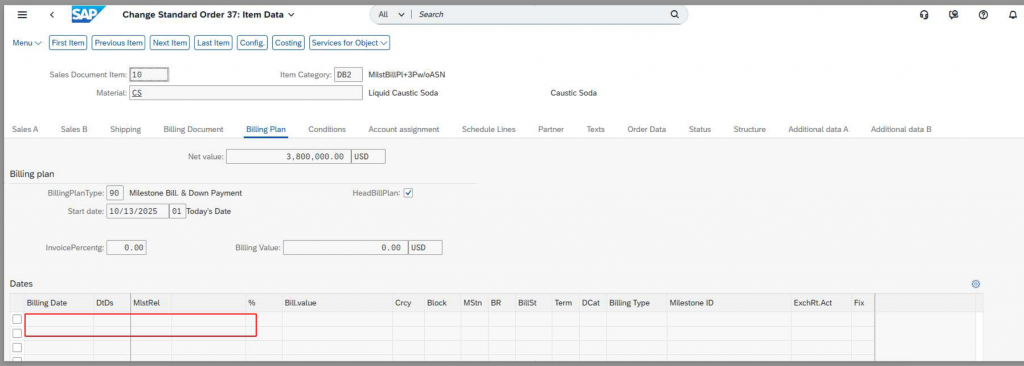
- When creating a new Sales Order, after selecting a billing plan, the billing plan fields under item details could not be edited.
- Item-level billing plan remained locked/uneditable.
Root Cause
HeadBillPlan (Header Billing Plan) was enabled, which overrides item-level billing plan maintenance and prevents edits.
Resolution
- Untick HeadBillPlan.
- Navigate to another tab.
- Return to the Billing Plan tab to trigger a UI refresh and enable item-level editing.
Prevention
- Ensure HeadBillPlan is unticked before maintaining item-level billing plans.